Requirements:
Students will shoot a music video that is no longer than five minutes.
Music videos must have a concept,theme, or story (not 100% lip-syncing).
Raw Footage is due the end of the period Mon/Tues November 19/20.
You can have class time on the 19th and 20th to shoot.
Video should have at least one six-shot sequence.
Students must turn in a one-page typed treatment.
Most videos have an interesting concept such as a fake TV show, a backwards video, a dance video, a live performance video, or simply an interesting story. Your treatment should explain in detail your concept and how you plan to make this concept come to life. Your treatment should answer the following questions:
1. What is your story or concept in great detail? Don't forget costumes, editing and shooting style etc. Your answer should be 4-5 sentences.
2. Who are you working with on this project (inside or outside of class)?
3. When will you shoot?
4. Do you need class time to shoot?
5. What song are you using? How long is the song?
Please email me your responses. Video 3 or 4 music video treatment in the subject line.
Videos must have one at least one eight-shot sequence.
Storyboards of the sequence will be required.
Videos shots must use proper technique discussed in class: good headroom, proper white-balance, leading the subject, focus, and steadiness. Grading of these shots will be more difficult than the last project.
Thursday, November 08, 2007


Tuesday, November 06, 2007
Help The Yearbook Class!
can you have your classes fill some discussions on my website, one titled "seniors" and one "travels"? We are trying to get info for the yearbook on students adventures and on childhood romances and crushes...
http://learn.shorelineschools.org/shorecrest/bstory/index.php?section=discussion
http://learn.shorelineschools.org/shorecrest/bstory/index.php?section=discussion
Sunday, November 04, 2007
Today in Video 1
Good morning,
I will not be in today until 11:15. I will miss third period and the first ten minutes of fourth.
Today:
Export your commercials to Quicktime, change permissions, and drop them into the Vidstore server in the proper period. Videos are due today and I am not accepting late work on this assignment.
When you have finished your commercial and dropped it, I want you to go onto YouTube and look for four music videos that you would recommend others watch. I want you to copy the links so you can paste the link and describe the videos in the comment section below (click on comments and make sure you include your name). Also, please list why you think this is a good music video for the class to watch.
Example:
Trent Mitchell
Pearl Jam
Do the Evolution
http://www.youtube.com/watch?v=FS69fuCOhTM
This is an animated video that seems to pay homage to Pink Floyd's The Wall. The animation is both crude and unique. This is a good video for the class to watch because even though it is animated, the video still showcases simulated camera movement, location changes, and large amount of creativity. Most importantly, the video can really encourage you to think about humans impact on the globe.
After you have posted your links and info you may watch other videos your classmates have suggested. Please post school appropriate videos only.
Your homework: Figure out what song you would like to use for your music video. Music videos should be 2:30-5:00 in length.
We will watch student and professional examples in class on Tues/Wed.
Another video to get you started http://www.youtube.com/watch?v=K2cYWfq--Nw
I will not be in today until 11:15. I will miss third period and the first ten minutes of fourth.
Today:
Export your commercials to Quicktime, change permissions, and drop them into the Vidstore server in the proper period. Videos are due today and I am not accepting late work on this assignment.
When you have finished your commercial and dropped it, I want you to go onto YouTube and look for four music videos that you would recommend others watch. I want you to copy the links so you can paste the link and describe the videos in the comment section below (click on comments and make sure you include your name). Also, please list why you think this is a good music video for the class to watch.
Example:
Trent Mitchell
Pearl Jam
Do the Evolution
http://www.youtube.com/watch?v=FS69fuCOhTM
This is an animated video that seems to pay homage to Pink Floyd's The Wall. The animation is both crude and unique. This is a good video for the class to watch because even though it is animated, the video still showcases simulated camera movement, location changes, and large amount of creativity. Most importantly, the video can really encourage you to think about humans impact on the globe.
After you have posted your links and info you may watch other videos your classmates have suggested. Please post school appropriate videos only.
Your homework: Figure out what song you would like to use for your music video. Music videos should be 2:30-5:00 in length.
We will watch student and professional examples in class on Tues/Wed.
Another video to get you started http://www.youtube.com/watch?v=K2cYWfq--Nw
Friday, November 02, 2007
Thursday, November 01, 2007
Tuesday, October 30, 2007
Commercial Peer Edit
1. Did the editor avoid jump cuts and continuity errors?
2. Do you think the pacing is too slow, just right, or too fast? If you thought it was slow, what specifically needs cutting down?
3. How is the camera composition? Is it too shaky at times? Is the frame filled?
4. Is there a slogan in the video made in Title 3D?
5. Does the video fade in and fade out?
6. Is the product clear?
7. Is it clear what the director wants the audience to do?
8. Does the video fade out at exactly 30 seconds?
9. Is the video edited to the music (i.e. to the beat)?
2. Do you think the pacing is too slow, just right, or too fast? If you thought it was slow, what specifically needs cutting down?
3. How is the camera composition? Is it too shaky at times? Is the frame filled?
4. Is there a slogan in the video made in Title 3D?
5. Does the video fade in and fade out?
6. Is the product clear?
7. Is it clear what the director wants the audience to do?
8. Does the video fade out at exactly 30 seconds?
9. Is the video edited to the music (i.e. to the beat)?
Monday, October 22, 2007
Monday, October 08, 2007
Commercial Treatment
Commercial Treatment
Commercial Treatment
You will write a detailed treatment to the coach or advisor of your club/activity/sport you have chosen to make a commercial for (this is a terrible sentence). You will also send me a copy (CC) of this email.
List of advisors:
http://schools.shorelineschools.org/shorecrest/asb/index.php#list
Treatment questions you must answer in COMPLETE sentences.
What group have you selected as your subject?
Why did you select this group and why do you think you can make an interesting commercial for this group?
What is your original concept? How are you going to SELL your subject?
What will your tag line be? It needs to be something catchy and memorable.
What kind of music will you use in the background?
Please email the advisor or coach of your commercial subject. Schedule a time to shoot with this person. Include me on this email.
Next Assignment: SCNN Commercial
SCNN Commercial Assignment
You will make a thirty second professional style commercial for a school related group, sport, club, or after-school function etc. Your commercial should be shot and edited in a high-energy style that encourages the other students in the school to either participate in and/or support your chosen group. You will have time during class to shoot the video, or you can shoot before or after school. Each student must do their own commercial.
Commercial Assignment Requirements:
You must use Final Cut Express.
Fade In and Fade Out.
Commercial must be exactly thirty seconds
12 shot minimum-like music videos, most commercials use shots only two to five seconds in length.
Use music appropriate for the commercial and school group.
Use text in your commercial to emphasize in writing what you are trying to sell.
Create a nifty slogan or catch phrase. VERY IMPORTANT!
Use a variety of shots.
Shoot at least two complicated shots. For example, a ‘zoom in and pan’ or a ‘zoom out and truck’ etc.
This is a very quick assignment so please do not fall behind. You CAN start working on this now (as in after school today...reserve your camera pronto)
Friday, October 05, 2007
Monday, October 01, 2007
Editing Reading
http://cybercollege.com/tvp050.htm
http://cybercollege.com/tvp051.htm
http://cybercollege.com/tvp052.htm
These are three short sections that will help you as you edit your videos. Re-shoots may be necessary to fix jump cuts, pacing problems, or continuity errors.
http://cybercollege.com/tvp051.htm
http://cybercollege.com/tvp052.htm
These are three short sections that will help you as you edit your videos. Re-shoots may be necessary to fix jump cuts, pacing problems, or continuity errors.
Video Test Thursday and Friday: Here is the review.
Name two things the director does.
How do you focus the camera?
Name the three elements of production.
Editing is done in what stage of the production process?
What stage of the production process is scriptwriting done?
Name the three types of talent we spoke about in class.
What is a boom mic?
What is the thirty-degree rule?
What does P.A. stand for and what does he or she do?
What is a target audience?
Who is in charge of making sure that all items stay consistent from one shot to the next on a video shoot?
What is a sequence?
What is an insert shot?
What is a cutaway shot and what is another name for one??
List three pieces of information a script contains.
Explain the Rule of Thirds
Explain Leading the Subject.
Explain the composition term ‘framing’.
How do you white balance the camera and why do you do it?
What do you twist on the camera to make sure your subject is in focus?
What is a jump cut? Give an example.
What is crossing the axis line? Why do you not want to cross the axis line when you are shooting video?
What information is in a treatment?
What is the 1,2,3 formula?
What is accelerated editing?
What is montage editing?
In music videos especially, edits are made on both subject and camera _____________.
Know the following shots:
CU
MCU
MS
LS
ELS
Trucking
Panning
POV
Steady Dolly
Heads-in Tails-Out.
Selective Focus
Rack Focus
How do you focus the camera?
Name the three elements of production.
Editing is done in what stage of the production process?
What stage of the production process is scriptwriting done?
Name the three types of talent we spoke about in class.
What is a boom mic?
What is the thirty-degree rule?
What does P.A. stand for and what does he or she do?
What is a target audience?
Who is in charge of making sure that all items stay consistent from one shot to the next on a video shoot?
What is a sequence?
What is an insert shot?
What is a cutaway shot and what is another name for one??
List three pieces of information a script contains.
Explain the Rule of Thirds
Explain Leading the Subject.
Explain the composition term ‘framing’.
How do you white balance the camera and why do you do it?
What do you twist on the camera to make sure your subject is in focus?
What is a jump cut? Give an example.
What is crossing the axis line? Why do you not want to cross the axis line when you are shooting video?
What information is in a treatment?
What is the 1,2,3 formula?
What is accelerated editing?
What is montage editing?
In music videos especially, edits are made on both subject and camera _____________.
Know the following shots:
CU
MCU
MS
LS
ELS
Trucking
Panning
POV
Steady Dolly
Heads-in Tails-Out.
Selective Focus
Rack Focus
Thursday, September 27, 2007
Apple Film Festival Details
http://www.apple.com/education/insomnia/

The Insomnia Film Festival is back—and while the world sleeps, you could be making film history.
Calling all high school and college filmmakers.
On Saturday, October 13 at 9:00 a.m. (Eastern time), we’ll post a top-secret list of elements — special props, dialogue, settings — you get the idea. Choose any three to include in your movie. Then all you and your team have to do is write, cast, shoot, edit, score, and upload your 3-minute masterpiece within 24 hours. No problem, right?
Once the films are in, your friends, family, and adoring fans will be able to watch them online and rate their favorites. The 25 entries with the highest rating on November 9 at 12:00 a.m. EST will be screened by industry professionals, including Barry Sonnenfeld, James Mangold, and Nora Ephron.
If your film is the biggest hit with either the public or the pros, each member of your team will receive a MacBook Pro, Final Cut Studio 2, Logic Studio, and Shake so you can get started on that first sequel. How’s that for a Hollywood ending?
Monday, September 24, 2007
Thursday, September 20, 2007
Tuesday, September 18, 2007
Export to Quicktime and put on Vidstore server
File
Share
Select Quicktime
Select Full Quality Video
Name Clip
Save in Movies folder
Control-click on the file in your movies folder and select get info'. Please click on the down arrow at the bottom of the file and make sure that everything under details and ownerships and permissions is set to 'read-write'. All four sections need to be changed.
Next, log onto to Vidstore.shorelineschools.org and drop it in the period three/four folder.
name:scvideo
password:otis
Select SC Video classes.
Drop your file in the correct period.
Share
Select Quicktime
Select Full Quality Video
Name Clip
Save in Movies folder
Control-click on the file in your movies folder and select get info'. Please click on the down arrow at the bottom of the file and make sure that everything under details and ownerships and permissions is set to 'read-write'. All four sections need to be changed.
Next, log onto to Vidstore.shorelineschools.org and drop it in the period three/four folder.
name:scvideo
password:otis
Select SC Video classes.
Drop your file in the correct period.
Video 1 Treatment
You will make a three-four minute movie. Pick a genre like thriller, comedy, horror, or comedy.
You can work with one other person on this project, but I would prefer as many individual projects as possible.
Each person will edit their own video.
I want each of you to focus on the lighting in this video. Use lighting for a purpose.
Also, get creative with your shots. Combine shots. Make sure each shot is framed with an interesting composition.
Basically these videos should be as"arty".
1. Please describe your story in four to five detailed sentences. Include character descriptions and motivation. What is the conflict? What will get resolved?
2. Who are you working with, if anyone?
3. What is the tone of your movie? What type of Genre are you attempting?
4. What will make this interesting to your classmates? Why will I want to watch the video?
5. What types of shots will you shoot that you haven't done before? How will you improve on this video compared to the music video?
Put your treatments in the correct class folder and make sure you use the naming convention.
You can work with one other person on this project, but I would prefer as many individual projects as possible.
Each person will edit their own video.
I want each of you to focus on the lighting in this video. Use lighting for a purpose.
Also, get creative with your shots. Combine shots. Make sure each shot is framed with an interesting composition.
Basically these videos should be as"arty".
1. Please describe your story in four to five detailed sentences. Include character descriptions and motivation. What is the conflict? What will get resolved?
2. Who are you working with, if anyone?
3. What is the tone of your movie? What type of Genre are you attempting?
4. What will make this interesting to your classmates? Why will I want to watch the video?
5. What types of shots will you shoot that you haven't done before? How will you improve on this video compared to the music video?
Put your treatments in the correct class folder and make sure you use the naming convention.
Monday, September 17, 2007
Sequence Requirements
This is a credit/no credit assignment.
Requirements:
No jump cuts.
A full variety in the 8-10 shots.
Fade in and fade out.
Title over black at the beginning.
Credits over black.
Music or iMovie sound effects..
Requirements:
No jump cuts.
A full variety in the 8-10 shots.
Fade in and fade out.
Title over black at the beginning.
Credits over black.
Music or iMovie sound effects..
iMovie Camera Shots Requirements
Fade in and Fade Out
two sound effects added (or music from iMovie)
One video effect added
credits at end over black
titles for each shot
Make sure you have all of the shots for the proper 5-10 second length.
New terms:
Jump Cut
Sequence
Axis Line
two sound effects added (or music from iMovie)
One video effect added
credits at end over black
titles for each shot
Make sure you have all of the shots for the proper 5-10 second length.
New terms:
Jump Cut
Sequence
Axis Line
Camera Shots
1. MCU
2. MS
3. LS
4. XLS or establishing shot (no zoom)
5. Truck Right slowly with subject
6. Slow Pan Left to object
7. Slow Tilt up to object
8. POV (set up shot first)
9. Selective Focus with two objects
10. Slow Dolly in from LS to CU of subject
11. Heads in Tails Out
12. OTS
2. MS
3. LS
4. XLS or establishing shot (no zoom)
5. Truck Right slowly with subject
6. Slow Pan Left to object
7. Slow Tilt up to object
8. POV (set up shot first)
9. Selective Focus with two objects
10. Slow Dolly in from LS to CU of subject
11. Heads in Tails Out
12. OTS
Thursday, September 13, 2007
Video 2 SCNN Ideas
Today we will brainstorm and begin filming SCNN videos. You can have class time today, Monday, and Tuesday to shoot and then edit. Final post-production will occur next Thursday. Videos are due at this time.
The first step today is individual brainstorming followed by group discussion. Each person will be responsible for one topic, however, the open will require at least two-three people to work on it.
Here are the topics:
Career Center
Debate Club
Dazed and Confused Open
Senior Yearbook Pics Due Oct 5th
PSAT Test Sat Oct 20 from 8-12. $19
New Lunch items in Scot Shoppe
Homecoming Info
Mr. Shorecrest Highlights: Get Video of program
Exchange Students
Prevent Laptop Theft
GSA Announcement (script is already prepared)
Please brainstorm for 15 minutes individually.
The first step today is individual brainstorming followed by group discussion. Each person will be responsible for one topic, however, the open will require at least two-three people to work on it.
Here are the topics:
Career Center
Debate Club
Dazed and Confused Open
Senior Yearbook Pics Due Oct 5th
PSAT Test Sat Oct 20 from 8-12. $19
New Lunch items in Scot Shoppe
Homecoming Info
Mr. Shorecrest Highlights: Get Video of program
Exchange Students
Prevent Laptop Theft
GSA Announcement (script is already prepared)
Please brainstorm for 15 minutes individually.
Monday, September 10, 2007
Saturday, September 08, 2007
Friday, September 07, 2007
Video 2 reading
Please read the following chapters before you begin brainstorming and writing your treatment for your silent movie. Some will be review, other material will be brand new.
http://cybercollege.com/frtv/frtv011.htm
http://cybercollege.com/frtv/frtv012.htm
http://cybercollege.com/frtv/frtv013.htm
http://cybercollege.com/frtv/frtv014.htm
http://cybercollege.com/makeup.htm
http://cybercollege.com/frtv/frtv011.htm
http://cybercollege.com/frtv/frtv012.htm
http://cybercollege.com/frtv/frtv013.htm
http://cybercollege.com/frtv/frtv014.htm
http://cybercollege.com/makeup.htm
Reading For Today and Homework (Video 1)
This is reading for today and over the weekend. Please take out a piece of paper to take notes on all bold faced words.
Please take the quiz at the bottom of each section. We will discuss all terms in class and you will be tested on the material shortly.
http://cybercollege.com/tvp001.htm
http://cybercollege.com/tvp001-2.htm
http://cybercollege.com/tvp017-2.htm
http://cybercollege.com/tvp022.htm
Please take the quiz at the bottom of each section. We will discuss all terms in class and you will be tested on the material shortly.
http://cybercollege.com/tvp001.htm
http://cybercollege.com/tvp001-2.htm
http://cybercollege.com/tvp017-2.htm
http://cybercollege.com/tvp022.htm
Thursday, September 06, 2007
Silent Movie Assignment for Video 2 Students
This movie can be between three and six minutes long from beginning to end. You can make a scary movie, a comedy, a thriller, or an action movie. Or if it's really good maybe it will contain elements of all of these.
You can work with one other person on this project, but I would prefer as many individual projects as possible.
Each person will edit their own video.
I want each of you to focus on the lighting in this video. Use lighting for a purpose.
Also, get creative with your shots. Combine shots. Make sure each shot is framed with an interesting compostion.
Basically these videos should be "arty
1. Please describe your story in four to five detailed sentences. Include character descriptions and motivation. What is the conflict? What will get resolved?
2. Who are you working with, if anyone?
3. What is the tone of your movie? What type of Genre are you attempting?
4. What will make this interesting to your classmates? Why will I want to watch the video?
5. What types of shots will you shoot that you haven't done before? How will you improve on this video compared to other projects?
6. What kind of sound effects can you use to enhance your silent movie?
Please put this treatment in the Period 4 folder on the server. You can use your laptop to type or Abiword on the main computers.
You can work with one other person on this project, but I would prefer as many individual projects as possible.
Each person will edit their own video.
I want each of you to focus on the lighting in this video. Use lighting for a purpose.
Also, get creative with your shots. Combine shots. Make sure each shot is framed with an interesting compostion.
Basically these videos should be "arty
1. Please describe your story in four to five detailed sentences. Include character descriptions and motivation. What is the conflict? What will get resolved?
2. Who are you working with, if anyone?
3. What is the tone of your movie? What type of Genre are you attempting?
4. What will make this interesting to your classmates? Why will I want to watch the video?
5. What types of shots will you shoot that you haven't done before? How will you improve on this video compared to other projects?
6. What kind of sound effects can you use to enhance your silent movie?
Please put this treatment in the Period 4 folder on the server. You can use your laptop to type or Abiword on the main computers.
Hints for Success in this class
1. Use your time at home with a camera wisely. Having your own camera is very helpful, but if you need to check out a camera from me make sure you plan your video shoot ahead of time.
2. Do not rely on your friends. Your friends are not receiving a grade and therefore are not as motivated as you are.
3. Do not wait until the last minute to shoot. Procrastination will hurt you in this class.
4. Shoot multiple takes of your shots from different angles so you have more to work with when you edit. It is highly recommend to shoot a wide "master shot" of the whole scence and then shoot close-ups after.
5. Make every shot count. Do not shoot random footage.
2. Do not rely on your friends. Your friends are not receiving a grade and therefore are not as motivated as you are.
3. Do not wait until the last minute to shoot. Procrastination will hurt you in this class.
4. Shoot multiple takes of your shots from different angles so you have more to work with when you edit. It is highly recommend to shoot a wide "master shot" of the whole scence and then shoot close-ups after.
5. Make every shot count. Do not shoot random footage.
Classroom Expectations
Classroom Expectations
Mr. Mitchell
Shorecrest high school 2007-2008
1. Be on time to class.
2. Show up ready for the job. Have paper, pencils, pens, videotapes, cameras, USB Cables & any related material you need to do class assignments everyday.
3. Food & liquids are not permitted in the computer labs.
4. You will rarely need laptops in this class. Only take them out when I give permission. Do not test me on this.
5. Clean up your station area before you leave.
6. Return equipment to its proper place.
7. Turn off monitors when instructed.
8. Use headphones to monitor sound. Bring headphones to class everyday.
9. Games on the computer are not allowed ever.
10. Listen respectfully. You will be given the same respect when you speak.
Mr. Mitchell
Shorecrest high school 2007-2008
1. Be on time to class.
2. Show up ready for the job. Have paper, pencils, pens, videotapes, cameras, USB Cables & any related material you need to do class assignments everyday.
3. Food & liquids are not permitted in the computer labs.
4. You will rarely need laptops in this class. Only take them out when I give permission. Do not test me on this.
5. Clean up your station area before you leave.
6. Return equipment to its proper place.
7. Turn off monitors when instructed.
8. Use headphones to monitor sound. Bring headphones to class everyday.
9. Games on the computer are not allowed ever.
10. Listen respectfully. You will be given the same respect when you speak.
Academic Plan
COURSE SUMMARY
This course will provide students with a basic foundation in the principles of video production. This course will emphasize the three elements of the video production process. During pre-production students will learn camera composition, effective lighting techniques, treatment and script writing skills, and proper storyboarding techniques. During the production portion of the course the students will direct their own video using the camera skills and theory learned during the pre-production portion. During the post-production, the students will edit their videos using IMovie. This section will emphasize the importance of music, sound effects, and narration in video. Throughout the course the students will get an opportunity to critically analyze films, commercials, TV News, Public Service Announcements, and movie trailers.
ESSENTIAL LEARNINGS
The Essential Academic Learnings in Art for this course
1. The student applies the creative process with arts knowledge and skills to reason
and solve problems.
2. The student uses at least one of the art forms to communicate ideas and feelings.
3. The student understands how the arts connect to other subject areas, life, and work.
The Essential Academic Learnings in Writing for this course
1. The student will learn to write clearly and effectively.
2. The student will write in a variety of forms for different audiences and purposes.
3. The student will analyze and evaluate the effectiveness of written work.
The Essential Academic Learnings in Communication for this course
1. The student uses listening and observation skills to gain understanding.
2. The student communicates ideas clearly and effectively.
CLASS EXPECTATIONS
• Assisting students in establishing lifelong habits of reliability and promptness is one of the instructional objectives of this particular course. Progress toward this goal will be measured, at least in part, by tracking student attendance. Therefore, a student's grade or credit in this class may be adversely affected by reason of tardiness or absences to the extent defined by the current Shorecrest High School Attendance Policy, which is hereby adopted for this class. In accordance with this policy, students with 9 or more absences will lose credit.
• If you are not in class when the bell rings, you are tardy. Tardies cannot be made up. It is your responsibility to be in class on time and prepared to go to work.
• You cannot have more than:
3 tardies per semester to earn an “A”
6 tardies maximum per semester to earn a “B”
9 tardies maximum per semester to earn a “C”
12 tardies maximum per semester to earn a “D”
13 or more tardies, student will fail
• Demonstrate good leadership and citizenship through your actions in class.
• Keep a notebook including any and all assignments, notes, and all handouts.
• Keep up with the assignments.
CRITERIA USED TO DETERMINE GRADES
Assessment of student progress toward mastering the Essential Learnings identified for this course is critical to student success. In addition to traditional assessment strategies (e.g., pencil and paper testing), assessment of students’ work in this class will include one or more of the following assessment strategies: student exhibitions, class presentations, artistic representation of core concepts, and multimedia presentations.
Grades:
Video projects are worth 50% of your grade.
Tests and quizzes are worth 30% of your grade.
Attendance, attitude, and participation are worth 20% of your grade.
A = 100 – 93% B- = 83.9 - 80% D+= 69.9 - 67%
A- = 92.9 - 90% C+ = 79.9 - 76% D = 66.9 - 60%
B+ = 89.9 - 87% C = 75.9 - 72% F = 59.9 - 0%
B = 86.9 - 84% C- = 71.9 - 70%
PROCEDURES AND EXPECTATIONS RELATED
TO HOMEWORK
Students will be assigned written homework on a regular basis. Homework is expected to be handed in on the date given. Late work will receive a reduction of one grade per day late. Work will not be accepted five school days after the due date.
Equipment
Students, and therefore parents and guardians, are responsible for any and all equipment checked out during class or after school. This may include cameras valued at $400, Tripods valued at $80, and lighting reflectors valued at $60. If equipment is damaged or lost it must be repaired or replaced immediately.
Laptops will be used in this class only as directed by instructor.
This course will provide students with a basic foundation in the principles of video production. This course will emphasize the three elements of the video production process. During pre-production students will learn camera composition, effective lighting techniques, treatment and script writing skills, and proper storyboarding techniques. During the production portion of the course the students will direct their own video using the camera skills and theory learned during the pre-production portion. During the post-production, the students will edit their videos using IMovie. This section will emphasize the importance of music, sound effects, and narration in video. Throughout the course the students will get an opportunity to critically analyze films, commercials, TV News, Public Service Announcements, and movie trailers.
ESSENTIAL LEARNINGS
The Essential Academic Learnings in Art for this course
1. The student applies the creative process with arts knowledge and skills to reason
and solve problems.
2. The student uses at least one of the art forms to communicate ideas and feelings.
3. The student understands how the arts connect to other subject areas, life, and work.
The Essential Academic Learnings in Writing for this course
1. The student will learn to write clearly and effectively.
2. The student will write in a variety of forms for different audiences and purposes.
3. The student will analyze and evaluate the effectiveness of written work.
The Essential Academic Learnings in Communication for this course
1. The student uses listening and observation skills to gain understanding.
2. The student communicates ideas clearly and effectively.
CLASS EXPECTATIONS
• Assisting students in establishing lifelong habits of reliability and promptness is one of the instructional objectives of this particular course. Progress toward this goal will be measured, at least in part, by tracking student attendance. Therefore, a student's grade or credit in this class may be adversely affected by reason of tardiness or absences to the extent defined by the current Shorecrest High School Attendance Policy, which is hereby adopted for this class. In accordance with this policy, students with 9 or more absences will lose credit.
• If you are not in class when the bell rings, you are tardy. Tardies cannot be made up. It is your responsibility to be in class on time and prepared to go to work.
• You cannot have more than:
3 tardies per semester to earn an “A”
6 tardies maximum per semester to earn a “B”
9 tardies maximum per semester to earn a “C”
12 tardies maximum per semester to earn a “D”
13 or more tardies, student will fail
• Demonstrate good leadership and citizenship through your actions in class.
• Keep a notebook including any and all assignments, notes, and all handouts.
• Keep up with the assignments.
CRITERIA USED TO DETERMINE GRADES
Assessment of student progress toward mastering the Essential Learnings identified for this course is critical to student success. In addition to traditional assessment strategies (e.g., pencil and paper testing), assessment of students’ work in this class will include one or more of the following assessment strategies: student exhibitions, class presentations, artistic representation of core concepts, and multimedia presentations.
Grades:
Video projects are worth 50% of your grade.
Tests and quizzes are worth 30% of your grade.
Attendance, attitude, and participation are worth 20% of your grade.
A = 100 – 93% B- = 83.9 - 80% D+= 69.9 - 67%
A- = 92.9 - 90% C+ = 79.9 - 76% D = 66.9 - 60%
B+ = 89.9 - 87% C = 75.9 - 72% F = 59.9 - 0%
B = 86.9 - 84% C- = 71.9 - 70%
PROCEDURES AND EXPECTATIONS RELATED
TO HOMEWORK
Students will be assigned written homework on a regular basis. Homework is expected to be handed in on the date given. Late work will receive a reduction of one grade per day late. Work will not be accepted five school days after the due date.
Equipment
Students, and therefore parents and guardians, are responsible for any and all equipment checked out during class or after school. This may include cameras valued at $400, Tripods valued at $80, and lighting reflectors valued at $60. If equipment is damaged or lost it must be repaired or replaced immediately.
Laptops will be used in this class only as directed by instructor.
Sunday, June 24, 2007
Wednesday, June 20, 2007
Documentary Peer Edits
Please answer the following questions on a piece of paper. Discuss your answers with your partner and then turn in this sheet at the end of class.
1. Is there an introduction that explains the documentary subject? Is it effective, why or why not?
2. Are the interview sound bytes kept between eight and fifteen seconds in length? Do the interviews move the story along? Are the interviews free of background noise?
3. Is there narration in the video? If there is no narration, are there titles that further the story? Are either of these an effective way to help tell the story?
4. Is the enough B-roll in the video? Does the B-Roll enhance the story or is it just filler? Could adding any pictures from the Internet help the story?
5. Is the project three-six minutes in length?
6. What music is used? Is there enough variety? Could more music be helpful?
7. Can you hear all of the interviews OK? In other words, are there any TCP errors?
8. Finally, what would you do to improve this video? Give three specific examples.
1. Is there an introduction that explains the documentary subject? Is it effective, why or why not?
2. Are the interview sound bytes kept between eight and fifteen seconds in length? Do the interviews move the story along? Are the interviews free of background noise?
3. Is there narration in the video? If there is no narration, are there titles that further the story? Are either of these an effective way to help tell the story?
4. Is the enough B-roll in the video? Does the B-Roll enhance the story or is it just filler? Could adding any pictures from the Internet help the story?
5. Is the project three-six minutes in length?
6. What music is used? Is there enough variety? Could more music be helpful?
7. Can you hear all of the interviews OK? In other words, are there any TCP errors?
8. Finally, what would you do to improve this video? Give three specific examples.
Friday, June 01, 2007
Reading For Documentary Unit
http://www.cybercollege.com/tvp054.htm
http://www.cybercollege.com/tvp055.htm
http://cybercollege.com/tvp063.htm
http://cybercollege.com/tvp064.htm
There will be a quiz on this material plus three questions about the documentary you watched on your own.
http://www.cybercollege.com/tvp055.htm
http://cybercollege.com/tvp063.htm
http://cybercollege.com/tvp064.htm
There will be a quiz on this material plus three questions about the documentary you watched on your own.
Documentary Narration/Text/Organization
First, read this section on interview techniques here.
Next, open up your email account and start working on the assignment below. When you are done, please email the assignment to me at trent.mitchell@shorelineschools.org. Also, CC your parent or guardian CC your parent or guardian so they can see what you are working on.
Intro
Write three to four sentences describing topic in great detail . Give crucial information and history as needed. Feel free to use documented statistics.
For example, if you are doing a piece on gas prices then find out how expensive gas has been over the last twenty years. Why the change? What are the factors etc? Do cars get more or less miles per gallon?
Next, list at least five specific examples of of B-Roll you will use. Provide dates, locations, and shot type of the footage.
Will you use any footage from sources other than your own camera? If so, what will they be?
Again, if you are doing Gas prices you might want to show people filling up at the gas station, a shot or two of gas price signs, people driving cars, and money exchanging hands etc.
Body
Narrate or use text to move from one interview to the next. If you do your interviews well, the interviews will tell the story and your narration will be minimal.
For today’s assignment, pretend you have three different examples and interviews for your topic.
What will you cover in this section? What will the audience learn? Please list the people who have interviewed or will interview and also list the B-Roll that will play underneath those interviews.
Closing
What did you conclude from your documentary (using both sides of course)? You aren't trying to prove a point here as this is more of a recap of what we saw in the body of your documentary.
What should the audience know that ties all the information together? What is next for your subject or subjects?
Your closing narration should be at least three to four sentences.
Again, email me your responses. Hopefully this helps you organize your documentary.
Tuesday, May 29, 2007
Thursday, May 24, 2007
There is a sub today. Here is what is due.
First of all, can someone please have the substitute call me at home? I need to give him instructions on lending out the 3 cameras for the weekend. Thanks!
522-7191
Students should fill out and turn in via email the treatment questions on the blog site. These are due TODAY.
Homework: Students to rent and watch one of the films listed on the site. They also need to start shooting their documentaries over the weekend.
Documentary ideas:
Gas prices and how they affect students.
Budget problems in Shoreline.
Opinions on the Iraq war and politics (with a student interest).
A new sport or club.
If you have decided to do a 4-5 minute short movie, you must answer the treatment questions from before and turn in a full 4-5 page script next Wednesday. If you do not turn in a script your movie will not be accepted.
522-7191
Students should fill out and turn in via email the treatment questions on the blog site. These are due TODAY.
Homework: Students to rent and watch one of the films listed on the site. They also need to start shooting their documentaries over the weekend.
Documentary ideas:
Gas prices and how they affect students.
Budget problems in Shoreline.
Opinions on the Iraq war and politics (with a student interest).
A new sport or club.
If you have decided to do a 4-5 minute short movie, you must answer the treatment questions from before and turn in a full 4-5 page script next Wednesday. If you do not turn in a script your movie will not be accepted.
Wednesday, May 23, 2007
Documentary Requirements
Documentary Requirements
First of all, I would like you to rent one of the following movies over the next week.
Who Killed the Electric Car
An Inconvenient Truth
Doggtown and Z Boys
There will be small quizzes on these movies based on what you watched individually.
Watch these movie(s) and pay attention to how they use footage combined with interviews. Basically, notice what video is being showm while people are talking. How does this footage relate to the interview? This footage is called B-Roll footage.
Next, you will pick your subject for your 2-4 minute documentary/news story.
You will create a treatment.
You can start shooting.
Documentary Treatment Video 1
Please answer the following questions in complete sentences. Email your responses to me.
1. What is your documentary subject?
2. Why did you choose this subject? Why would this be interesting for us to watch(two-three sentences)
3. What do you think your audience can learn from your documentary? (one-two sentences)
4. What type of B-Roll will your video need (three-four examples)
5. How will you make sure you can cover all sides of this subject? Who will you interview and where will you interview them? (two-three sentences)
A Day In The Life of a friend, student, or former student will not be accepted. Pick an issue, team, club, group, or band etc.
Raw Footage will be due June 6th (June 4th for seniors).
Wednesday, May 09, 2007
Exporting etc.
IN Final Cut, go File>export>quicktime. Save in your movies folder.
Adjust Permissions on your Quicktime file
Select your music video file. Control-click on the file in your movies folder and select get info'. Please click on the down arrow at the bottom of the file and make sure that everything under details and ownerships and permissions is set to 'read-write'. All four sections need to be changed.
Next, log onto to Vidstore.shorelineschools.org and drop it in the period four folder.
Login as guest
name:scvideo
password:sc1
Select SC Video classes.
Adjust Permissions on your Quicktime file
Select your music video file. Control-click on the file in your movies folder and select get info'. Please click on the down arrow at the bottom of the file and make sure that everything under details and ownerships and permissions is set to 'read-write'. All four sections need to be changed.
Next, log onto to Vidstore.shorelineschools.org and drop it in the period four folder.
Login as guest
name:scvideo
password:sc1
Select SC Video classes.
Friday, April 27, 2007
Commercial Treatment
Commercial Treatment
You will write a detailed treatment to the coach or advisor of your club/activity/sport you have chosen to make a commercial for (this is a terrible sentence). You will also send me a copy (CC) of this email.
List of advisors:
http://schools.shorelineschools.org/shorecrest/asb/index.php#list
Treatment questions you must answer in COMPLETE sentences.
What group have you selected as your subject?
Why did you select this group and why do you think you can make an interesting commercial for this group?
What is your original concept? How are you going to SELL your subject?
What will your tag line be? It needs to be something catchy and memorable.
What kind of music will you use in the background?
Please email the advisor or coach of your commercial subject. Schedule a time to shoot with this person. Include me on this email.
This treatment will be done during class on Monday.
You will write a detailed treatment to the coach or advisor of your club/activity/sport you have chosen to make a commercial for (this is a terrible sentence). You will also send me a copy (CC) of this email.
List of advisors:
http://schools.shorelineschools.org/shorecrest/asb/index.php#list
Treatment questions you must answer in COMPLETE sentences.
What group have you selected as your subject?
Why did you select this group and why do you think you can make an interesting commercial for this group?
What is your original concept? How are you going to SELL your subject?
What will your tag line be? It needs to be something catchy and memorable.
What kind of music will you use in the background?
Please email the advisor or coach of your commercial subject. Schedule a time to shoot with this person. Include me on this email.
This treatment will be done during class on Monday.
Thursday, April 19, 2007
Tuesday, March 27, 2007
Wed in Video
Good morning,
Today you have one hour to work on your 3 min movie script. At 9:00 the sub will play Jaws. Your script should be approximately 3 pages long, roughly one page per minute.
Please include character description, action, dialouge, and camera shots.
I would recommend doing this assignment on your laptop and working on it as homework before Friday. Scripts will be due at 8:30 on Friday. At that time you will storyboard your video.
Who needs a camera? I can check out five cameras on Thursday and five cameras on Friday. Please email me at trent.mitchell@shorelineschools.org if you want a camera.
Raw footage is due next Wed. Plan on shooting ASAP.
The sub will be leaving me names of anyone not working/playing games etc. You DO NOT want to have your name left behind.
Have fun!
Today you have one hour to work on your 3 min movie script. At 9:00 the sub will play Jaws. Your script should be approximately 3 pages long, roughly one page per minute.
Please include character description, action, dialouge, and camera shots.
I would recommend doing this assignment on your laptop and working on it as homework before Friday. Scripts will be due at 8:30 on Friday. At that time you will storyboard your video.
Who needs a camera? I can check out five cameras on Thursday and five cameras on Friday. Please email me at trent.mitchell@shorelineschools.org if you want a camera.
Raw footage is due next Wed. Plan on shooting ASAP.
The sub will be leaving me names of anyone not working/playing games etc. You DO NOT want to have your name left behind.
Have fun!
Monday, March 26, 2007
Tuesday, March 20, 2007
Wednesday Homework and Treatment Details
Good morning,
I am at home with the baby, but I will be back Friday. Today you will start Jaws. Spielberg does an excellent job using all of the camera shots we have discussed in class. See if you can spot the zoom-in/dolly out shot on the beach about 25 minutes into the movie.
On Friday we will watch some of the music videos and you will write your treatment for your three-minute movie in class.
Your homework? You must decide on a storyline for your movie from beginning to end. You can make a scary movie, a comedy, a thriller, or an action movie. Or if it's really good maybe it will contain elements of all of these.
For this assignment all of your music must be done on Garageband. You will be given time in class to create the music.
You will write scripts and create storyboards next week in class and as homework.
You can work with one other person on this project, but I would prefer as many individual projects as possible.
Each person will edit their own video.
The movie, including brief credits, must end at exactly 3:00. Not a second longer.
I want each of you to focus on the lighting in this video. Use lighting for a purpose.
Also, get creative with your shots. Combine shots. Make sure each shot is framed with an interesting compostion.
Basically these videos should be "arty".
1. Please describe your story in four to five detailed sentences. Include character descriptions and motivation. What is the conflict? What will get resolved?
2. Who are you working with, if anyone?
3. What is the tone of your movie? What type of Genre are you attempting?
4. What will make this interesting to your classmates? Why will I want to watch the video?
5. What types of shots will you shoot that you haven't done before? How will you improve on this video compared to the music video?
Email your treatment to me with Video 1 Treatment in the subject line.
I am at home with the baby, but I will be back Friday. Today you will start Jaws. Spielberg does an excellent job using all of the camera shots we have discussed in class. See if you can spot the zoom-in/dolly out shot on the beach about 25 minutes into the movie.
On Friday we will watch some of the music videos and you will write your treatment for your three-minute movie in class.
Your homework? You must decide on a storyline for your movie from beginning to end. You can make a scary movie, a comedy, a thriller, or an action movie. Or if it's really good maybe it will contain elements of all of these.
For this assignment all of your music must be done on Garageband. You will be given time in class to create the music.
You will write scripts and create storyboards next week in class and as homework.
You can work with one other person on this project, but I would prefer as many individual projects as possible.
Each person will edit their own video.
The movie, including brief credits, must end at exactly 3:00. Not a second longer.
I want each of you to focus on the lighting in this video. Use lighting for a purpose.
Also, get creative with your shots. Combine shots. Make sure each shot is framed with an interesting compostion.
Basically these videos should be "arty".
1. Please describe your story in four to five detailed sentences. Include character descriptions and motivation. What is the conflict? What will get resolved?
2. Who are you working with, if anyone?
3. What is the tone of your movie? What type of Genre are you attempting?
4. What will make this interesting to your classmates? Why will I want to watch the video?
5. What types of shots will you shoot that you haven't done before? How will you improve on this video compared to the music video?
Email your treatment to me with Video 1 Treatment in the subject line.
Friday, March 16, 2007
Adjust Permissions on your Quicktime file
Select your music video file. Control-click on the file in your movies folder and select get info'. Please click on the down arrow at the bottom of the file and make sure that everything under details and ownerships and permissions is set to 'read-write'. All four sections need to be changed.
Next, log onto to Vidstore.shorelineschools.org and drop it in the period four folder.
Login as guest
name:scvideo
password:sc1
Select SC Video classes.
Drop your file in the correct period.
Next, log onto to Vidstore.shorelineschools.org and drop it in the period four folder.
Login as guest
name:scvideo
password:sc1
Select SC Video classes.
Drop your file in the correct period.
Export to Quicktime from IMovie
Export to Quicktime From IMovie
File
Share
Select Quicktime
Select Full Quality Video
Name Clip
Save in Movies folder
Wednesday, March 14, 2007
Introducing Kylee Makena Mitchell


Kylee Makena Mitchell was born yesterday at 8:40 PM at Swedish Hospital in Seattle.
Friday, February 09, 2007
Hints on Assingment 1
White Balance
Zoom in, Focus, Zoom Out
Keep Camera Steady
Keep subject in frame the WHOLE time
Zoom in, Focus, Zoom Out
Keep Camera Steady
Keep subject in frame the WHOLE time
Wednesday, February 07, 2007
Camera Skills Assignment
Camera Skills Assignment 1
Mr Mitchell
Video Production 1
Directions:
1. Make a slate or piece of paper with your name on it and record it at the beginning of your segment.
2. White balance.
3. Zoom in and focus for every shot before you record.
4. Record each shot for 10 seconds. The only thing that should be on your tape is the shot itself, followed by the next shot.
You will be graded on the following criteria:
All shots must be steady, in focus, and correct in composition to receive credit. When you are panning or trucking, remember to us two hands if that helps. Also, for each shot please consider the Rule of Thirds, Framing, Proper Headroom, and Leading the Subject where they apply.
Shots
1. MCU
2. MS
3. LS
4. XLS or establishing shot (no zoom)
5. Truck Right slowly with subject
6. Slow Pan Left to object
7. Slow Tilt up to object
8. POV (set up shot first)
9. Selective Focus with two objects
10. Slow Dolly in from LS to CU of subject
11. Heads in Tails Out
12. OTS
When you are finished with your shots it is your responsibility to get Mr. Mitchell to watch the tape and grade it. Please cue your tape accordingly.
Mr Mitchell
Video Production 1
Directions:
1. Make a slate or piece of paper with your name on it and record it at the beginning of your segment.
2. White balance.
3. Zoom in and focus for every shot before you record.
4. Record each shot for 10 seconds. The only thing that should be on your tape is the shot itself, followed by the next shot.
You will be graded on the following criteria:
All shots must be steady, in focus, and correct in composition to receive credit. When you are panning or trucking, remember to us two hands if that helps. Also, for each shot please consider the Rule of Thirds, Framing, Proper Headroom, and Leading the Subject where they apply.
Shots
1. MCU
2. MS
3. LS
4. XLS or establishing shot (no zoom)
5. Truck Right slowly with subject
6. Slow Pan Left to object
7. Slow Tilt up to object
8. POV (set up shot first)
9. Selective Focus with two objects
10. Slow Dolly in from LS to CU of subject
11. Heads in Tails Out
12. OTS
When you are finished with your shots it is your responsibility to get Mr. Mitchell to watch the tape and grade it. Please cue your tape accordingly.
Friday, February 02, 2007
Friday in Video 1
Listed below is your reading assignment for the day. I normally don't assign this much reading in one day, but since I am gone it is up to you to make sure you get all of the info.
Please take notes on the bold words.
We will have a quiz on this material soon.
http://cybercollege.com/tvp001.htm
http://cybercollege.com/tvp001-2.htm
http://cybercollege.com/tvp017-2.htm
http://cybercollege.com/tvp022.htm
At 9:15 the class should discuss their list of key words. The Sub will explain.
Please take notes on the bold words.
We will have a quiz on this material soon.
http://cybercollege.com/tvp001.htm
http://cybercollege.com/tvp001-2.htm
http://cybercollege.com/tvp017-2.htm
http://cybercollege.com/tvp022.htm
At 9:15 the class should discuss their list of key words. The Sub will explain.
Tuesday, January 30, 2007
2nd Semester
Please answer the following questions and send your repsonses to me via email at trent.mitchell@shorelineschools.org
(use complete sentences)
1. Why did you sign up for this course?
2. What experience do you have with video cameras?
3. What kind of movies and TV shows do you like?
4. What experience do you have with computers?
5. Are you familiar with IMovie at all?
6. What kind of music do you listen to?
7. List two or three things I should know about you so I can help ensure you do well in this class.
Add Video 1 to your subject line.
(use complete sentences)
1. Why did you sign up for this course?
2. What experience do you have with video cameras?
3. What kind of movies and TV shows do you like?
4. What experience do you have with computers?
5. Are you familiar with IMovie at all?
6. What kind of music do you listen to?
7. List two or three things I should know about you so I can help ensure you do well in this class.
Add Video 1 to your subject line.
Friday, January 26, 2007
Video 2 Question
What was the best movie you have seen on DVD or in the theatres in the past year?
Why did you like it so much?
What was the worst movie you have seen? What made it so bad?
What has been your favorite Television Show? Why?
http://www.metacritic.com/film/
Why did you like it so much?
What was the worst movie you have seen? What made it so bad?
What has been your favorite Television Show? Why?
http://www.metacritic.com/film/
Tuesday, January 09, 2007
Video 2 Schedule
1/10 SCNN Shooting/Editing
1/12 SCNN Shooting/Editing
1/16 Mandatory Editing Session After Schoo 2:30-3:30
1/17 Finish SCNN/Export to Vidstore/Work of Music Videos
1/19 Full Period for Music Video Editing
1/22 Music Video Editing
1/24 Music Videos Due At Beginning of Period
For those of you behind on the music video project, I would recommend working during TAP or lunch over the next two weeks to catch up.
1/12 SCNN Shooting/Editing
1/16 Mandatory Editing Session After Schoo 2:30-3:30
1/17 Finish SCNN/Export to Vidstore/Work of Music Videos
1/19 Full Period for Music Video Editing
1/22 Music Video Editing
1/24 Music Videos Due At Beginning of Period
For those of you behind on the music video project, I would recommend working during TAP or lunch over the next two weeks to catch up.
Video 1 Schedule
1/11 Doc Footage Due/Editing
1/16 Doc Editing
1/18 Doc Editing
1/18 Mandatory Editing Session After School 2:30-3:15
1/22 Finish Editing/Export Project
1/23 Doc Project Due Beginning of Period
1/16 Doc Editing
1/18 Doc Editing
1/18 Mandatory Editing Session After School 2:30-3:15
1/22 Finish Editing/Export Project
1/23 Doc Project Due Beginning of Period
Sunday, January 07, 2007
Documentary Organization Assignment
Documentary Narration/Text/Organization
First, read this section on interview techniques here.
Next, open up your email account and start working on the assignment below. When you are done, please email the assignment to me at trent.mitchell@shorelineschools.org. Also, CC your parent or guardian CC your parent or guardian so they can see what you are working on.
Intro
Write three to four sentences describing topic in great detail . Give crucial information and history as needed. Feel free to use documented statistics.
For example, if you are doing a piece on gas prices then find out how expensive gas has been over the last twenty years. Why the change? What are the factors etc? Do cars get more or less miles per gallon?
Next, list at least five specific examples of of B-Roll you will use. Provide dates, locations, and shot type of the footage.
Will you use any footage from sources other than your own camera? If so, what will they be?
Again, if you are doing Gas prices you might want to show people filling up at the gas station, a shot or two of gas price signs, people driving cars, and money exchanging hands etc.
Body
Narrate or use text to move from one interview to the next. If you do your interviews well, the interviews will tell the story and your narration will be minimal.
For today’s assignment, pretend you have three different examples and interviews for your topic.
What will you cover in this section? What will the audience learn? Please list the people who have interviewed or will interview and also list the B-Roll that will play underneath those interviews.
Closing
What did you conclude from your documentary (using both sides of course)? You aren't trying to prove a point here as this is more of a recap of what we saw in the body of your documentary.
What should the audience know that ties all the information together? What is next for your subject or subjects?
Your closing narration should be at least three to four sentences.
Again, email me your responses. Hopefully this helps you organize your documentary.
Friday, January 05, 2007
Wednesday, January 03, 2007
Monday, January 01, 2007
Tuesday, December 19, 2006
Documentary Requirements
First of all, I would like you to rent one of the following movies over break.
Who Killed the Electric Car
An Inconvenient Truth
Doggtown and Z Boys
Riding Giants
Super Size Me is not an option any longer.
There will be small quizzes on these movies based on what you watched individually.
Watch these movie(s) and pay attention to how they use footage combined with interviews. Basically, notice what video is being showm while people are talking. How does this footage relate to the interview? This footage is called B-Roll footage.
Next, you will pick your subject for your 2-4 minute documentary/news story.
You will create a treatment.
You can start shooting.
1. What is your documentary subject?
2. Why did you choose this subject? Why would this be interesting for us to watch(two-three sentences)
3. What do you think your audience can learn from your documentary? (one-two sentences)
4. What type of B-Roll will your video need (three-four examples)
5. How will you make sure you can cover all sides of this subject? Who will you interview and where will you interview them? (two-three sentences)
A Day In The Life of a friend, student, or former student will not be accepted. Pick an issue, team, club, group, or band etc.
Raw Footage will be due January 11th.
Who Killed the Electric Car
An Inconvenient Truth
Doggtown and Z Boys
Riding Giants
Super Size Me is not an option any longer.
There will be small quizzes on these movies based on what you watched individually.
Watch these movie(s) and pay attention to how they use footage combined with interviews. Basically, notice what video is being showm while people are talking. How does this footage relate to the interview? This footage is called B-Roll footage.
Next, you will pick your subject for your 2-4 minute documentary/news story.
You will create a treatment.
You can start shooting.
Documentary Treatment Video 1
Please answer the following questions in complete sentences. Email your responses to me.
1. What is your documentary subject?
2. Why did you choose this subject? Why would this be interesting for us to watch(two-three sentences)
3. What do you think your audience can learn from your documentary? (one-two sentences)
4. What type of B-Roll will your video need (three-four examples)
5. How will you make sure you can cover all sides of this subject? Who will you interview and where will you interview them? (two-three sentences)
A Day In The Life of a friend, student, or former student will not be accepted. Pick an issue, team, club, group, or band etc.
Raw Footage will be due January 11th.
Monday, December 11, 2006
The Video 3 Class Website Is Up!
http://www.audiovisible.tv/
This site showcases the music videos directed by the students this semester.
This site showcases the music videos directed by the students this semester.
Sunday, December 10, 2006
Friday, December 08, 2006
Video 2 Music Video Assignment
Music Video Assignment
Music Video Assignment
Music Video Project
Video Production
Mr. Mitchell
Requirements:
Students will shoot a music video that is no longer than five minutes.
Music videos must have a concept,theme, or story (not 100% lip-syncing).
Students may work with one other person, but everyone must edit their own version of the video.
Students must turn in a one-page typed treatment.
Most videos have an interesting concept such as a fake TV show, a backwards video, a dance video, a live performance video, or simply an interesting story. Your treatment should explain in detail your concept and how you plan to make this concept come to life. Your treatment should answer the follwing questions:
1. What is your story or concept in great detail? Don't forget costumes, editing and shooting style etc. Your answer should be 4-5 sentences.
2. Who are you working with on this project (inside or outside of class)?
3. When will you shoot?
4. Do you need class time to shoot?
5. What song are you using? How long is the song?
Please email me your responses. Please include Video 1 in the subject line.
Videos must have one at least one eight-shot sequence.
Storyboards of the sequence will be required.
Videos shots must use proper technique discussed in class: good headroom, proper white-balance, leading the subject, focus, and steadiness. Grading of these shots will be more difficult than the last project.
Raw footage is due immediately after break. I will check a few cameras out to multilple groups of students.
Thursday, November 30, 2006
Commercial Treatment
Commercial Treatment
You will write a detailed treatment to the coach or advisor of your club/activity/sport you have chosen to make a commercial for (this is a terrible sentence). You will also send me a copy (CC) of this email.
List of advisors:
http://schools.shorelineschools.org/shorecrest/asb/index.php#list
Treatment questions you must answer in COMPLETE sentences.
What group have you selected as your subject?
Why did you select this group and why do you think you can make an interesting commercial for this group?
What is your original concept? How are you going to SELL your subject?
What will your tag line be? It needs to be something catchy and memorable.
What kind of music will you use in the background?
Please email the advisor or coach of your commercial subject. Schedule a time to shoot with this person. Include me on this email.
This treatment will be done during class on Monday.
School Related Commercial Assignment
School Related Commercial Assignment
You will make a thirty second professional style commercial for a school related group, sport, club, or after-school function etc. Your commercial should be shot and edited in a high-energy style that encourages the other students in the school to either participate in and/or support your chosen group. You will have time during class to shoot the video, or you can shoot before or after school. Each student must do their own commercial.
Commercial Assignment Requirements:
You must use Final Cut Express.
Fade In and Fade Out.
Commercial must be exactly thirty seconds
12 shot minimum-like music videos, most commercials use shots only two to five seconds in length.
Use music appropriate for the commercial and school group.
Use text in your commercial to emphasize in writing what you are trying to sell.
Create a nifty slogan or catch phrase. VERY IMPORTANT!
Use a variety of shots.
Shoot at least two complicated shots. For example, a ‘zoom in and pan’ or a ‘zoom out and truck’ etc.
We will work on treatments/emails to advisors/storyboards Monday the 4th.
Raw Footage is due the beginining of class Tuesday the 12th
Commercial is due at the end of the period Tuesday the 19th
This is a very quick assignment so please do not fall behind. You CAN start working on this now (as in after school today...reserve your camera pronto)
The next project after this is a documentary. You will begin this over break.
Monday, November 27, 2006
Video 2
There is a mandatory after-school editing session this Thursday. SCNN footage and editing needs to be completed by Friday at the end of third period.
Saturday, November 25, 2006
Tuesday, November 21, 2006
Exporting From Final Cut to Quicktime
File>Export>Quicktime Movie>
Save the video using the naming convention and save it in the movies folder.
Next, control-click on the file in your movies folder and select g'et info'. Please make sure that everything under details and ownerships and permissions is set to 'read-write'.
Next, log onto to Vidstore.shorelineschools.org and drop it in the period four folder.
name:scvideo
password:sc1
Monday, November 06, 2006
Capturing In Final Cut
Capturing Video in Final Cut Pro or Express
1. Before you Capture you need to quit Final Cut
2. Put camera into VCR mode and plug in firewire
3. Open Final Cut
4 File>Log and Capture
5. Cue up Video to five seconds BEFORE the section you actually need and press play on the camera
6. PressCapture Now (note: you can name or describe your clip in this section)
7.Press Escape when you are done with each clip and repeat as needed
Clips wil show up in the project Bin
Sunday, October 29, 2006
Thursday, October 26, 2006
Video 1 Camera Movement Assignment
Video 1 Today:
1. Import your footage.
2. Edit your footage.
Include: fade in/out, title, music with proper fading up or down, credits, and sound effects.
Make sure to avoid jump cuts and continuity errors.
3. Export your video as a Quicktime file.
4. Change all the permissions on the file to read/write.
5. Log into Vidstore server and drop it in the period 4 folder.
(Directions for changing permissions and dropping into server are on the blog site)
1. Import your footage.
2. Edit your footage.
Include: fade in/out, title, music with proper fading up or down, credits, and sound effects.
Make sure to avoid jump cuts and continuity errors.
3. Export your video as a Quicktime file.
4. Change all the permissions on the file to read/write.
5. Log into Vidstore server and drop it in the period 4 folder.
(Directions for changing permissions and dropping into server are on the blog site)
Monday, October 23, 2006
Video 2 Schedule
Video II Schedule
Today: SCNN Assignments
Wed the 25th: Class time shoot three-minute movie
Friday the 27th: Class time to shoot SCNN
Monday the 30th: Import SCNN Footage
Wednesday the 1st : Edit and export completed SCNN assignment, import and edit three-minute movie
Friday the 3rd: Class time to shoot three-minute movie
Monday the 6th: Edit Three-minute movie
Wednesday the 8th: Edit Three minute movie
Today: SCNN Assignments
Wed the 25th: Class time shoot three-minute movie
Friday the 27th: Class time to shoot SCNN
Monday the 30th: Import SCNN Footage
Wednesday the 1st : Edit and export completed SCNN assignment, import and edit three-minute movie
Friday the 3rd: Class time to shoot three-minute movie
Monday the 6th: Edit Three-minute movie
Wednesday the 8th: Edit Three minute movie
Wednesday, October 18, 2006
Thursday, October 12, 2006
Wednesday, October 11, 2006
Three Minute Movie Treatment Video 2
For this assignment all of your music must be done on Garageband.
You can work with one or two other people on this project.
Each person will edit their own video.
You MUST shoot during class time on the given days.
The movie, including brief credits, must end at exactly 3:00. Not a second longer.
I want each of you to focus on the lighting in this video. Use lighting for a purpose.
Also, get creative with your shots. Combine shots. Make sure each shot is framed with an interesting compostion.
Basically these videos should be "arty".
1. Please describe your story in four to five detailed sentences. Include character descriptions and motivation. What is the conflict?
2. Who are you working with?
3. What is the tone of your movie? What type of Genre are you attempting?
4. What will make this interesting to your classmates? Why will I want to watch the video?
5. What types of shots will you shoot that you haven't done before? How will you improve on this video compared to other videos?
Email your treatment to me with Video 1 or Video 2 in the subject line.
You can work with one or two other people on this project.
Each person will edit their own video.
You MUST shoot during class time on the given days.
The movie, including brief credits, must end at exactly 3:00. Not a second longer.
I want each of you to focus on the lighting in this video. Use lighting for a purpose.
Also, get creative with your shots. Combine shots. Make sure each shot is framed with an interesting compostion.
Basically these videos should be "arty".
1. Please describe your story in four to five detailed sentences. Include character descriptions and motivation. What is the conflict?
2. Who are you working with?
3. What is the tone of your movie? What type of Genre are you attempting?
4. What will make this interesting to your classmates? Why will I want to watch the video?
5. What types of shots will you shoot that you haven't done before? How will you improve on this video compared to other videos?
Email your treatment to me with Video 1 or Video 2 in the subject line.
Tuesday, October 10, 2006
Three Minute Movie Assignment
Video 1
Make a three minute-movie that showcases the camera shots and skills you have learned in the first quarter of class.
Requirements
Videos must be creative and original.
All shots must be white balanced.
Story must have a beginning, middle, end and contain dialogue.
All shots must be in focus.
All shots must be steady with proper headroom.
You must have at least one six shot sequence.
You must include the Rule of Thirds, Leading the Subject, and Framing where appropriate. You also must change angles frequently using the 30 degree rule.
The following shots must be used at least once to receive an A grade :
CU, MCU, MS, LS, ELS, Steady Trucking, Steady Panning, POV, Steady Dolly, and Heads in Tails Out.
Make a three minute-movie that showcases the camera shots and skills you have learned in the first quarter of class.
Requirements
Videos must be creative and original.
All shots must be white balanced.
Story must have a beginning, middle, end and contain dialogue.
All shots must be in focus.
All shots must be steady with proper headroom.
You must have at least one six shot sequence.
You must include the Rule of Thirds, Leading the Subject, and Framing where appropriate. You also must change angles frequently using the 30 degree rule.
The following shots must be used at least once to receive an A grade :
CU, MCU, MS, LS, ELS, Steady Trucking, Steady Panning, POV, Steady Dolly, and Heads in Tails Out.
Exporting to Quicktime and Dropping In Server
In IMovie
File>share>quicktime>compress for full quality
Save file in your movies folder. Use the Naming Convention you use in all classes (period_lastname_first initial_music Video).
Next, control click on the quicktime file in your movies folder after it has exported. Scroll down and select 'get info'.
At the bottom of Get Info select the arrow next to details. Make sure all three boxes under details say 'read and write'. I cannot see your video unless you do this.
Next drop the file into the Vidstore server.
Select G0>connect to server>type vidstore and hit connect
under name: type scvideo
under password type: SC1
Select SC Video Classes
Drop your Quicktime file into the right period
File>share>quicktime>compress for full quality
Save file in your movies folder. Use the Naming Convention you use in all classes (period_lastname_first initial_music Video).
Next, control click on the quicktime file in your movies folder after it has exported. Scroll down and select 'get info'.
At the bottom of Get Info select the arrow next to details. Make sure all three boxes under details say 'read and write'. I cannot see your video unless you do this.
Next drop the file into the Vidstore server.
Select G0>connect to server>type vidstore and hit connect
under name: type scvideo
under password type: SC1
Select SC Video Classes
Drop your Quicktime file into the right period
Monday, October 09, 2006
Peer Editing
Peer Editing Observations:
1. Did the editor avoid jump cuts and continuity errors?
2. Do you think the pacing is too slow, just right, or too fast? If you thought it was slow, what specifically needs cutting down?
3. How is the camera composition? Is it too shaky at times? Is the frame filled?
4. Are titles and credits in the video?
5. Does the video fade in and fade out?
6. Is this story interesting and entertaining? Can any quick re-shoots help it out?
7. Is there a six-shot sequence?
Turn in responses at the end of the period.
1. Did the editor avoid jump cuts and continuity errors?
2. Do you think the pacing is too slow, just right, or too fast? If you thought it was slow, what specifically needs cutting down?
3. How is the camera composition? Is it too shaky at times? Is the frame filled?
4. Are titles and credits in the video?
5. Does the video fade in and fade out?
6. Is this story interesting and entertaining? Can any quick re-shoots help it out?
7. Is there a six-shot sequence?
Turn in responses at the end of the period.
Tuesday, September 26, 2006
Sequence Editing Assignment
Sequence Assignment
Fade In/Fade Out
Add three transitions between clips.
Add three effects on the different clips.
Add music/or sound effects in two spots.
Add a title at the beginning.
Add credits at the end of the video.
Make sure audio fades in and fades out (adjust levels).
Get creative!!
Fade In/Fade Out
Add three transitions between clips.
Add three effects on the different clips.
Add music/or sound effects in two spots.
Add a title at the beginning.
Add credits at the end of the video.
Make sure audio fades in and fades out (adjust levels).
Get creative!!
Wednesday, September 20, 2006
Video 2 Schedule
9/20 SCNN Prep, Email Teachers, Edit Mockumentary
9/22 Full Period For Mockumentary Shooting
9/25 Raw footage Mockumentary due
9/27 Mockumentary editing
9/29 SCNN shooting all period
10/2 Raw Footage SCNN Due and editing
10/4 SCNN editing
SCNN Commericals due at end of period
Mockumentary editing
10/6 Mockumentary editing
Three-minute movie treatments
10/9 Mockumentary Due
9/20 SCNN Prep, Email Teachers, Edit Mockumentary
9/22 Full Period For Mockumentary Shooting
9/25 Raw footage Mockumentary due
9/27 Mockumentary editing
9/29 SCNN shooting all period
10/2 Raw Footage SCNN Due and editing
10/4 SCNN editing
SCNN Commericals due at end of period
Mockumentary editing
10/6 Mockumentary editing
Three-minute movie treatments
10/9 Mockumentary Due
Tuesday, September 19, 2006
Music Video Assignment
Music Video Assignment
Music Video Project
Video Production
Mr. Mitchell
Requirements:
Students will shoot a music video that is no longer than five minutes.
Music videos must have a concept,theme, or story (not 100% lip-syncing).
Students may work with one other person, but everyone must edit their own version of the video.
Students must turn in a one-page typed treatment.
Most videos have an interesting concept such as a fake TV show, a backwards video, a dance video, a live performance video, or simply an interesting story. Your treatment should explain in detail your concept and how you plan to make this concept come to life. Your treatment should answer the follwing questions:
1. What is your story or concept in great detail? Don't forget costumes, editing and shooting style etc. Your answer should be 4-5 sentences.
2. Who are you working with on this project (inside or outside of class)?
3. When will you shoot?
4. Do you need class time to shoot?
5. What song are you using? How long is the song?
Please email me your responses. Please include Video 1 in the subject line.
Videos must have one at least one eight-shot sequence.
Storyboards of the sequence will be required.
Videos shots must use proper technique discussed in class: good headroom, proper white-balance, leading the subject, focus, and steadiness. Grading of these shots will be more difficult than the last project.
Most shots in music videos are only 1-4 seconds long, please keep this in mind when planning your shots. Plan your shots ahead of time. A three-minute video should have at least 60 shots unless your concept requires something different.
Thursday, September 14, 2006
Monday, September 11, 2006
Video II Outline Assignment
You will write a one to one and a half page outline doubled spaced that describes your mockumentary. This needs to be as detailed as possible. If your Outline is not detailed enough you will need to write a script.
Your names first...
Section I
Describe the two to three main characters. Include ages, habits, goals, ambitions, dress style, dialect, and motivations.
Section II
Describe the plot in detail. What happens in the beginning, middle, and end? Why do the characters act the way they do? What is theit motivation? Are there any twists or surprises? What is the conclusion?
This section should be at least 5-7 sentences long.
Section III
Why do you think this idea will work for a mockumentary? What type of humor will you use (situational, character, slapstick etc.)? Give examples of this humor. Do you need any costumes or props? What kind of music will you use?
When you are done email me your assignment.
In the subject line please put: Video 2 Outline
Your names first...
Section I
Describe the two to three main characters. Include ages, habits, goals, ambitions, dress style, dialect, and motivations.
Section II
Describe the plot in detail. What happens in the beginning, middle, and end? Why do the characters act the way they do? What is theit motivation? Are there any twists or surprises? What is the conclusion?
This section should be at least 5-7 sentences long.
Section III
Why do you think this idea will work for a mockumentary? What type of humor will you use (situational, character, slapstick etc.)? Give examples of this humor. Do you need any costumes or props? What kind of music will you use?
When you are done email me your assignment.
In the subject line please put: Video 2 Outline
Friday, September 08, 2006
This is Spinal Tap
The Video 2 class will be watching one of my favorite movies next week. This Is Spinal Tap is rated R, but I believe the material is OK for most upper classmen in high school. This film is a great example of a "mockumentary" which is the student's first assignment.
"This satire about a fictional heavy metal group named Spinal Tap spoofs nearly every facet of rock 'n' roll -- from vacuous modern songwriting to half-baked album promos to pyrotechnic concerts. Michael McKean, Christopher Guest and Harry Shearer portray the washed-up, aging British rockers whose tresses and egos outstrip their talent. Chronicling the band's evolution and its calamitous comeback tour is filmmaker Marty DiBergi (Rob Reiner)."

Roger Ebert, Chicago Sun-Times
"The satire has a deft, wicked touch." .
James Rocchi, Movie Reviewer
"Mock "rockumentary" is wildly funny and deeply influential."
Common Sense Note
Parents need to know that Spinal Tap is a fictional band, and this humorous “mocumentary” about them highlights their failure. There are moments when the language gets a bit heavy with curse words, but these are short and sporadic.
Parents: Please contact me at trent.mitchell@shorelineschools.org if you have any concerns.
"This satire about a fictional heavy metal group named Spinal Tap spoofs nearly every facet of rock 'n' roll -- from vacuous modern songwriting to half-baked album promos to pyrotechnic concerts. Michael McKean, Christopher Guest and Harry Shearer portray the washed-up, aging British rockers whose tresses and egos outstrip their talent. Chronicling the band's evolution and its calamitous comeback tour is filmmaker Marty DiBergi (Rob Reiner)."
Roger Ebert, Chicago Sun-Times
"The satire has a deft, wicked touch." .
"Mock "rockumentary" is wildly funny and deeply influential."
 | 14+ |
Parents need to know that Spinal Tap is a fictional band, and this humorous “mocumentary” about them highlights their failure. There are moments when the language gets a bit heavy with curse words, but these are short and sporadic.
Parents: Please contact me at trent.mitchell@shorelineschools.org if you have any concerns.
Thursday, September 07, 2006
Video Assignment 1
Video 1 Assigment 1
Camera Skills Assignment 1
Mr Mitchell
Video Production 1
Directions:
1. Make a slate or piece of paper with your name on it and record it at the beginning of your segment.
2. White balance.
3. Zoom in and focus for every shot before you record.
4. Record each shot for 10 seconds. The only thing that should be on your tape is the shot itself, followed by the next shot.
You will be graded on the following criteria:
All shots must be steady, in focus, and correct in composition to receive credit. When you are panning or trucking, remember to us two hands if that helps. Also, for each shot please consider the Rule of Thirds, Framing, Proper Headroom, and Leading the Subject where they apply.
Shots
1. MCU
2. MS
3. LS
4. XLS or establishing shot (no zoom)
5. Truck Right slowly with subject
6. Slow Pan Left to object
7. Slow Tilt up to object
8. POV (set up shot first)
9. Selective Focus with two objects
10. Slow Dolly in from LS to CU of subject
11. Heads in Tails Out
12. OTS
When you are finished with your shots it is your responsibility to get Mr. Mitchell to watch the tape and grade it. Please cue your tape accordingly.
Tuesday, June 20, 2006
Thursday, June 15, 2006
Group Final Video 1 and 2
Group Final
1. I will put you into small groups of 3-4 people.
2. You will decide on a short 2-3 min video to make. You should pick a genre and then come up with a storyline. Something fast paced usually works best.
3. You can do as much pre-production as you would like. This includes script writing, storyboarding, and making and using costumes etc. The video MUST have one 12-shot sequence.
4. You will shoot and edit your video next Monday/Tuesday during class. Basically you have 90 min to shoot and edit your WHOLE video. Dont' forget a title, credits, music, and sound effects. Videos must be exported on the same day.
5. We will watch the videos the last day of class.
Videos will be graded based on entertainment value, editing skill, use of music, and camera work etc. No jump cuts allowed of course!
Tuesday, June 06, 2006
Peer Editing
Documentary Peer Editing
Please answer the following questions on a piece of paper. Discuss your answers with your partner and then turn in this sheet at the end of class.
1. Is there an introduction that explains the documentary subject? Is it effective, why or why not?
2. Are the interview sound bytes kept between eight and fifteen seconds in length? Do the interviews move the story along? Are the interviews free of background noise?
3. Is there narration in the video? If there is no narration, are there titles that further the story? Are either of these an effective way to help tell the story?
4. Is there enough B-roll in the video? Does the B-Roll enhance the story or is it just filler? Could adding any pictures from the Internet help the story?
5. Is the project three-six minutes in length?
6. What music is used? Is there enough variety? Could more music be helpful?
7. Can you hear all of the interviews OK? In other words, are there any TCP errors?
8. Finally, what would you do to improve this video? Give three specific examples.
Please answer the following questions on a piece of paper. Discuss your answers with your partner and then turn in this sheet at the end of class.
1. Is there an introduction that explains the documentary subject? Is it effective, why or why not?
2. Are the interview sound bytes kept between eight and fifteen seconds in length? Do the interviews move the story along? Are the interviews free of background noise?
3. Is there narration in the video? If there is no narration, are there titles that further the story? Are either of these an effective way to help tell the story?
4. Is there enough B-roll in the video? Does the B-Roll enhance the story or is it just filler? Could adding any pictures from the Internet help the story?
5. Is the project three-six minutes in length?
6. What music is used? Is there enough variety? Could more music be helpful?
7. Can you hear all of the interviews OK? In other words, are there any TCP errors?
8. Finally, what would you do to improve this video? Give three specific examples.
Wednesday, May 24, 2006
I am an uncle
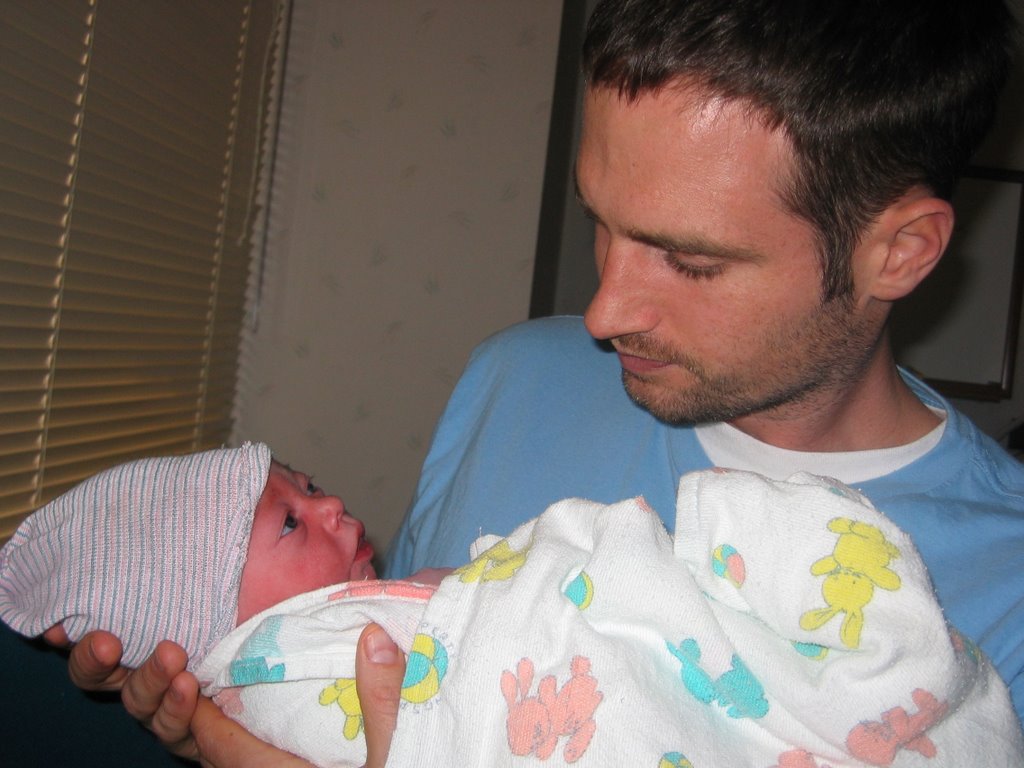
Hi everyone. I am missing class to spend time with my new nephew Dane, who is perhaps the cutest baby of all time.
Please do the following in class today:
Delete extra files from your computer as described below.
Start your creative title sequence for your doc.
When you are done with the title sequence, please put the clips in order and start working on your narration. You can use the back room next to John Wayne to record your narration on tape. Import your narration and then separate the audio from the video in Final Cut by selecting MODIFY>Link.
When I get back next class period I will check on your progress. We will also continue with Riding Giants in Video 1.
Please email me with any questions.
Students to assist with Final Cut:
Period 2-Danny Nguyen
Period 3-Daniel Howes
Period 6-Marek seems to know it the best so far...nice work.
Video Students need to delete files
First, we need to delete excess files off the computers. Please delete anything that is not yours from both the Movies folder and the Final Cut Documents >Capture Scratch Folder (located in Documents). Next, delete all of your projects with the exception of the Quicktime files. Next, empty the trash.
Friday, May 19, 2006
Tuesday, May 16, 2006
Documentary Narration/Text/Organization
Narration Rought Draft
Narration/Organization Rough Draft Assignment
Intro
Three to four sentences describing topic . Give details and history as needed. Feel free to use documented statistics. For example, if you are doing a piece on gas prices then find out how expensive gas has been over the last twenty years. Why the change? What are the factors etc? Do cars get more or less miles per gallon?
Next, list at least five examples of of B-Roll you will use. Again, if you are doing Gas prices you might want to show people filling up at the gas station, a shot or two of gas price signs, people driving cars, and money exchanging hands etc.
Body
Narrate or use text to move from one interview to the next. If you do your interviews well, the interviews will tell the story and your narration will be minimal.
For today’s assignment, pretend you have three different examples and interviews for your topic.
What will you cover in this section? What will the audience learn? Please list the people who have interviewed or will interview and also list the B-Roll that will play underneath those interviews.
Closing
What did you conclude from your documentary (using both sides of course)? You aren't trying to prove a point here as this is more of a recap of what we saw in the body of your documentary.
What should the audience know that ties all the information together? What is next for your subject or subjects?
Your closing narration should be at least three to four sentences.
Monday, May 08, 2006
Documentary Treatment Video 1 and 2
Please answer the following questions in complete sentences on a seperate piece of paper. Print your work neatly please.
1. What is your documentary subject?
2. Why did you choose this subject? Why would this be interesting for us to watch(two-three sentences)
3. What do you think your audience can learn from your documentary? (one-two sentences)
4. What type of B-Roll will your video need (three-four examples)
5. How will you make sure you can cover all sides of this subject? Who will you interview and where will you interview them? (two-three sentences)
6. When do you need a camera? Remember, raw footage is due in two weeks.
When you are finished hand in your paper to Mr. Mitchell. Next, please read Cybercollege 63 and 64. Whatever you do not finish reading from those two chapters is homework tonight.
http://cybercollege.com/tvp063.htm
http://cybercollege.com/interviews.htm
http://cybercollege.com/tvp064.htm
1. What is your documentary subject?
2. Why did you choose this subject? Why would this be interesting for us to watch(two-three sentences)
3. What do you think your audience can learn from your documentary? (one-two sentences)
4. What type of B-Roll will your video need (three-four examples)
5. How will you make sure you can cover all sides of this subject? Who will you interview and where will you interview them? (two-three sentences)
6. When do you need a camera? Remember, raw footage is due in two weeks.
When you are finished hand in your paper to Mr. Mitchell. Next, please read Cybercollege 63 and 64. Whatever you do not finish reading from those two chapters is homework tonight.
http://cybercollege.com/tvp063.htm
http://cybercollege.com/interviews.htm
http://cybercollege.com/tvp064.htm
Tuesday, May 02, 2006
Documentary Requirements
Documentary
Requirements:
3-6 min long
Interviews with good audio
Narration (voice over)
B-Roll video (video shown while we hear interview or narration)
No jump cuts or continuity errors
Documentary will need a full page of interview questions , project goals, and scripted narration.
All projects must use the 30 Degree Rule, rule of thirds, proper headroom, leading the subject, framing, proper white balance, steady camera work, and show strong creativity. Also, please shoot and use many close-up shots, insert shots, and reaction shots as you can.
Due Dates
May 11/12: List of 20 questions and project goals.
May 16/17: Scripted Narration
May 23/24 Raw Footage
June 8/9: Final Video Project
Mr. Mitchell’s 4 Hints to create better documentaries
1. Keep the camera rolling, capture as much footage as possible
2. Research your topic…become an expert
3. Come prepared at interviews with a list of questions
4. Avoid bias in your story. Tell the facts and avoid taking sides.
Requirements:
3-6 min long
Interviews with good audio
Narration (voice over)
B-Roll video (video shown while we hear interview or narration)
No jump cuts or continuity errors
Documentary will need a full page of interview questions , project goals, and scripted narration.
All projects must use the 30 Degree Rule, rule of thirds, proper headroom, leading the subject, framing, proper white balance, steady camera work, and show strong creativity. Also, please shoot and use many close-up shots, insert shots, and reaction shots as you can.
Due Dates
May 11/12: List of 20 questions and project goals.
May 16/17: Scripted Narration
May 23/24 Raw Footage
June 8/9: Final Video Project
Mr. Mitchell’s 4 Hints to create better documentaries
1. Keep the camera rolling, capture as much footage as possible
2. Research your topic…become an expert
3. Come prepared at interviews with a list of questions
4. Avoid bias in your story. Tell the facts and avoid taking sides.
Exporting From Final Cut to Quicktime
File>Export>Quicktime Movie>
Save the video as "your name_Subject_ commercial" and save it in the movies folder.
Next, control-click on the file in your movies folder and select g'et info'. Please make sure that everything under details and ownerships and permissions is set to 'read-write'.
Save the video as "your name_Subject_ commercial" and save it in the movies folder.
Next, control-click on the file in your movies folder and select g'et info'. Please make sure that everything under details and ownerships and permissions is set to 'read-write'.
Subscribe to:
Posts (Atom)